

You can now re-use a template from one of your reviews into your current Extraction 1 or Extraction 2 template. This helps save time and ensures consistency when building similar extraction forms.
When can I re-use a template?
When creating a template for the first time, you can choose to replace it with a copy of another review’s template. You can edit the copied template before publishing. After publishing, you can’t replace it with a copy of another template, but you can continue to edit it at any time during the extraction process.
How it works in Extraction 1
In the data extraction template, select “Re-use template”
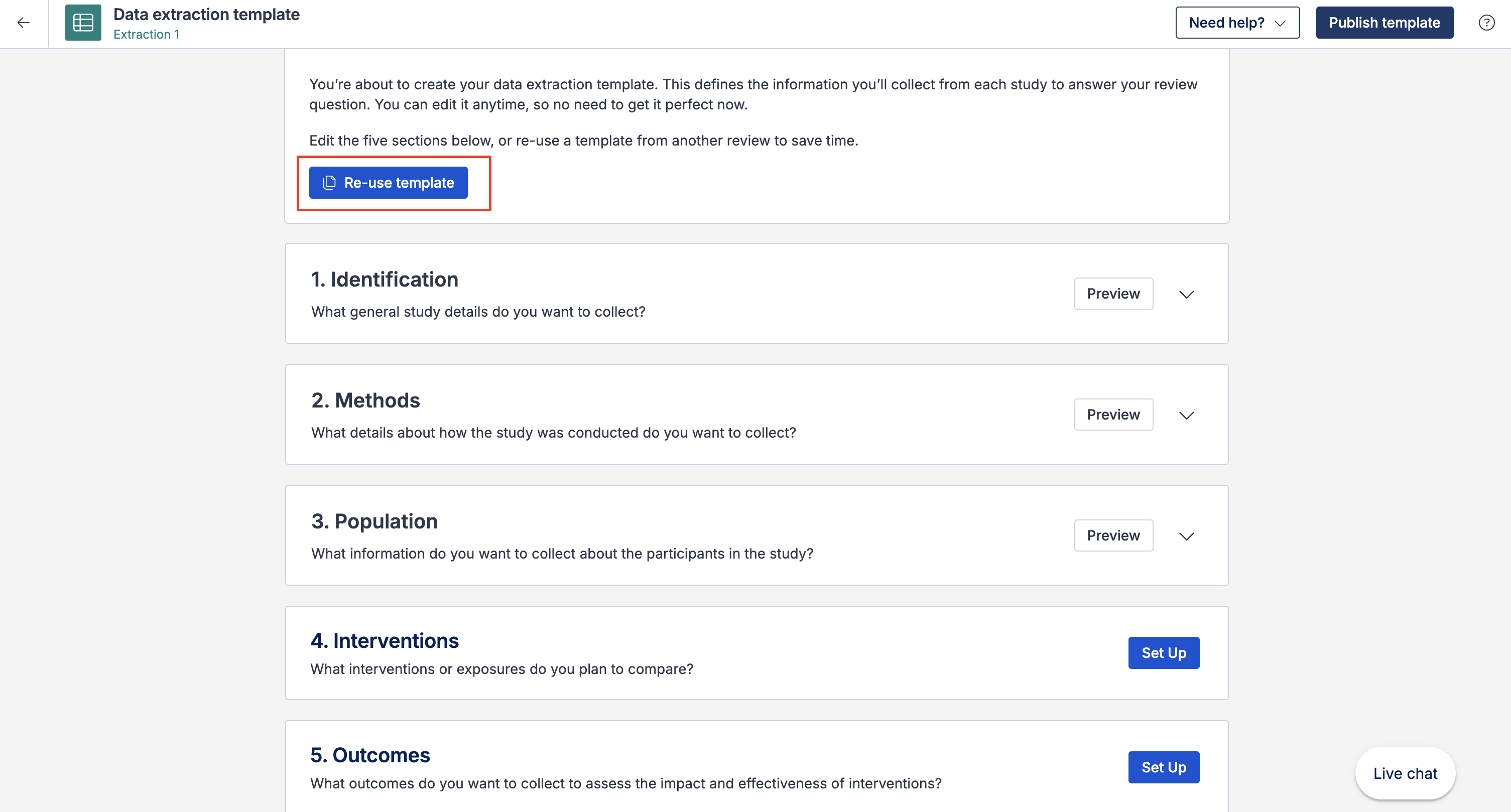
A list of reviews that have a published template in Extraction 1 will appear
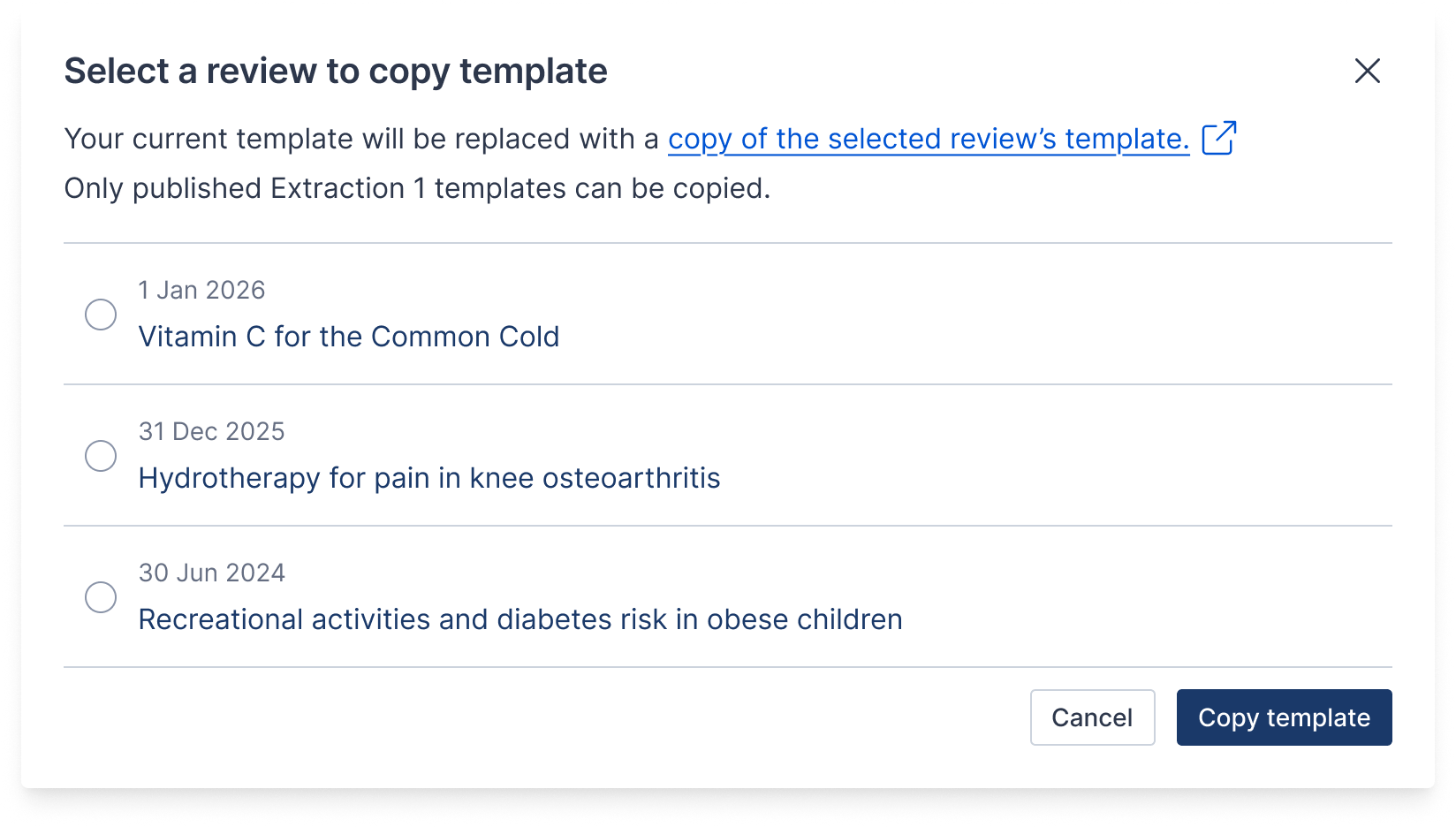
Choose the review to copy the template from
Select "Copy template"
Your current template will be replaced with a copy of the selected review’s published template. This action cannot be undone.
In Extraction 1, you can always select a different review template before publishing.
How it works in Extraction 2
In the data extraction template, select “Re-use template”
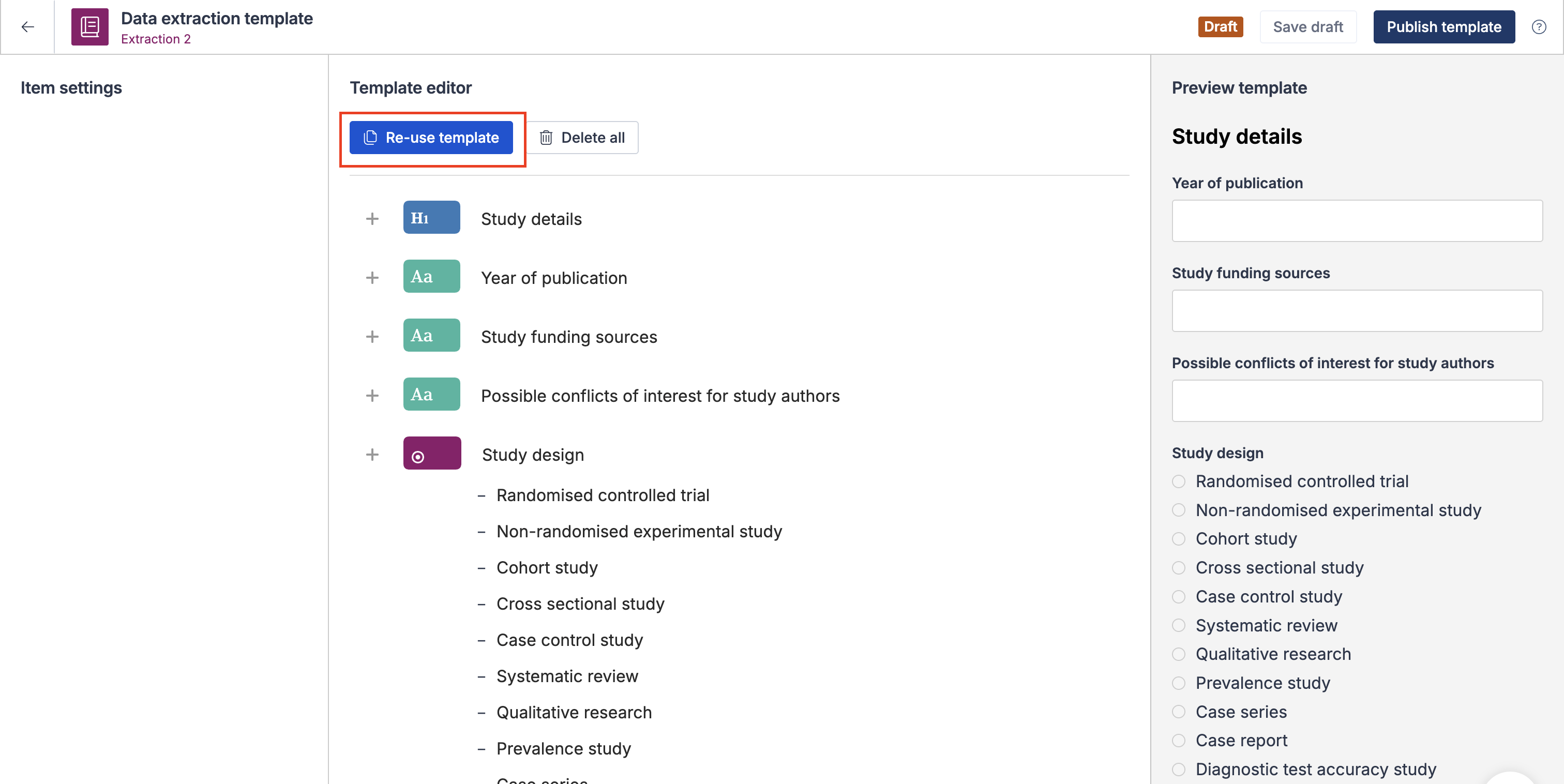
A list of reviews that have a published template in Extraction 2 will appear
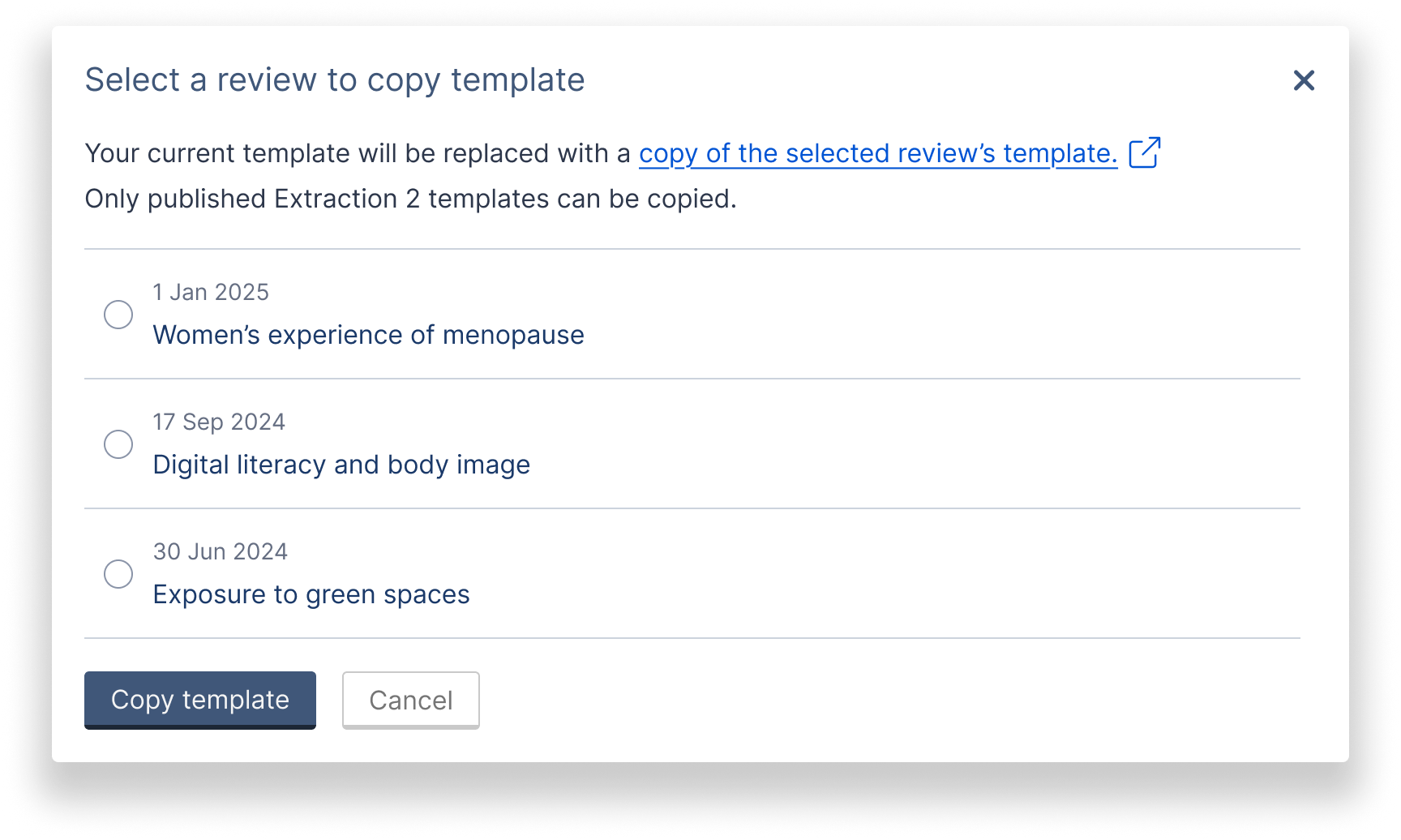
Choose the review to copy the template from
Select "Copy template"
Your current template will be replaced with a copy of the selected review’s published template. This action cannot be undone.
In Extraction 2, you can always select a different review template even after saving a draft but before publishing.
Important things to know
You can only copy a template before publishing your current template
Only published templates can be copied
Templates copied must be from the same extraction tool (Extraction 1 or Extraction 2)
Archived reviews will not appear in the list of available templates
Copying a template replaces your current draft and cannot be undone