

What is LibKey?
LibKey connects you to full-text journal articles through your institution’s library subscriptions.
If your institution has a LibKey subscription, connecting it unlocks one-click full text (PDF) access on studies in Covidence. Links to full texts will appear directly in your Full Text Review and Data Extraction study lists.
How do I set it up?
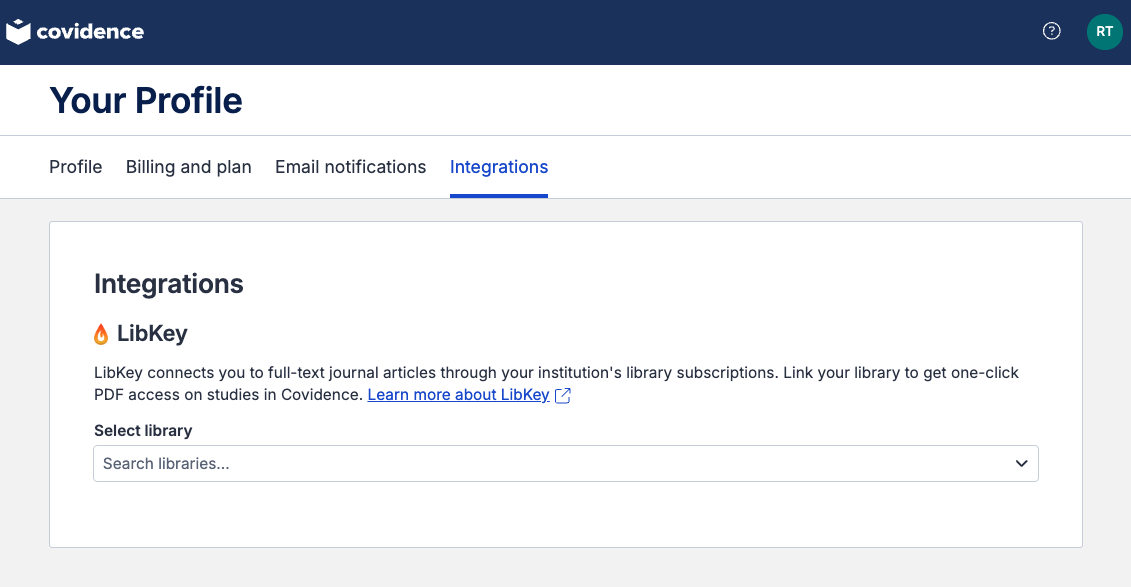
Go to Your Profile and select the Integrations tab.
In the Select library field, search for your institution.
Select your library from the results. Changes are saved automatically.
To change or remove your library, click the × next to the library name and search again.
Using LibKey in Full Text Review and Data Extraction
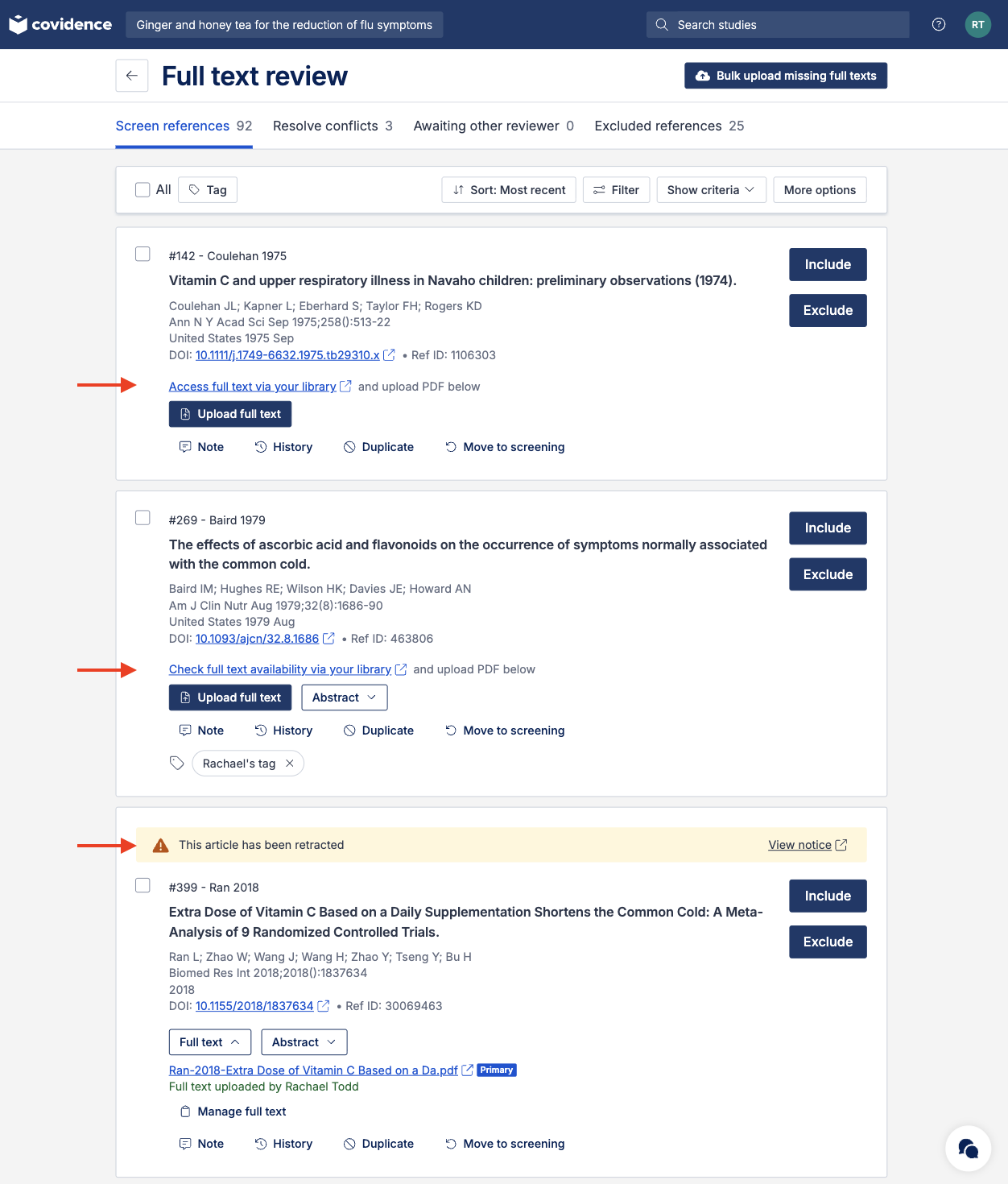
Once set up, you will see links to the full text on studies in both Full Text Review and Data Extraction.
What does each link mean?
The link shown depends on your library access and whether the study has been retracted, has an expression of concern or is associated with a problematic journal.
Link | Where the link goes |
Access full text via your library | The link will provide the PDF immediately or is one click away. |
Check full text availability via your library | The link will find the best available option to the PDF via your library, such as an interlibrary loan request. |
This article has been retracted | The link goes to the retraction notice. |
This article has an expression of concern | The link goes to the expression of concern. |
This article is associated with a problematic journal | The link goes to the problematic journal notice. |
If no links appear on a study it might be because the study has no DOI or LibKey may not cover that article.
Is LibKey available at my institution?
LibKey is available as an institutional library subscription. It is not licensed to individuals.
Check with your library to confirm whether your institution has a LibKey subscription. You can also learn more about LibKey.