

Extraction 1 is designed for collecting structured data against defined comparison groups, particularly when you plan to conduct quantitative synthesis or meta-analysis. Its PICO(T)-based framework helps organize results consistently across studies, while remaining flexible enough to adapt to different review designs. The 'Interventions' section can also capture exposures, cases, or other phenomena of interest, making it suitable beyond traditional intervention reviews.
In this article we will provide you with an overview of the features and functionality available in Extraction 1.
Templates
The templates allow for easy creation, piloting, and updating of data extraction and quality assessment templates. You can also re-use data extraction templates you've created in other reviews using Extraction 1.
Updates can be made at any time and any changes will be applied to all study extraction forms to ensure consistent data collection across studies.
If you update either template during extraction, you can decide whether or not you want to move all completed studies to incomplete. Keeping you in control.
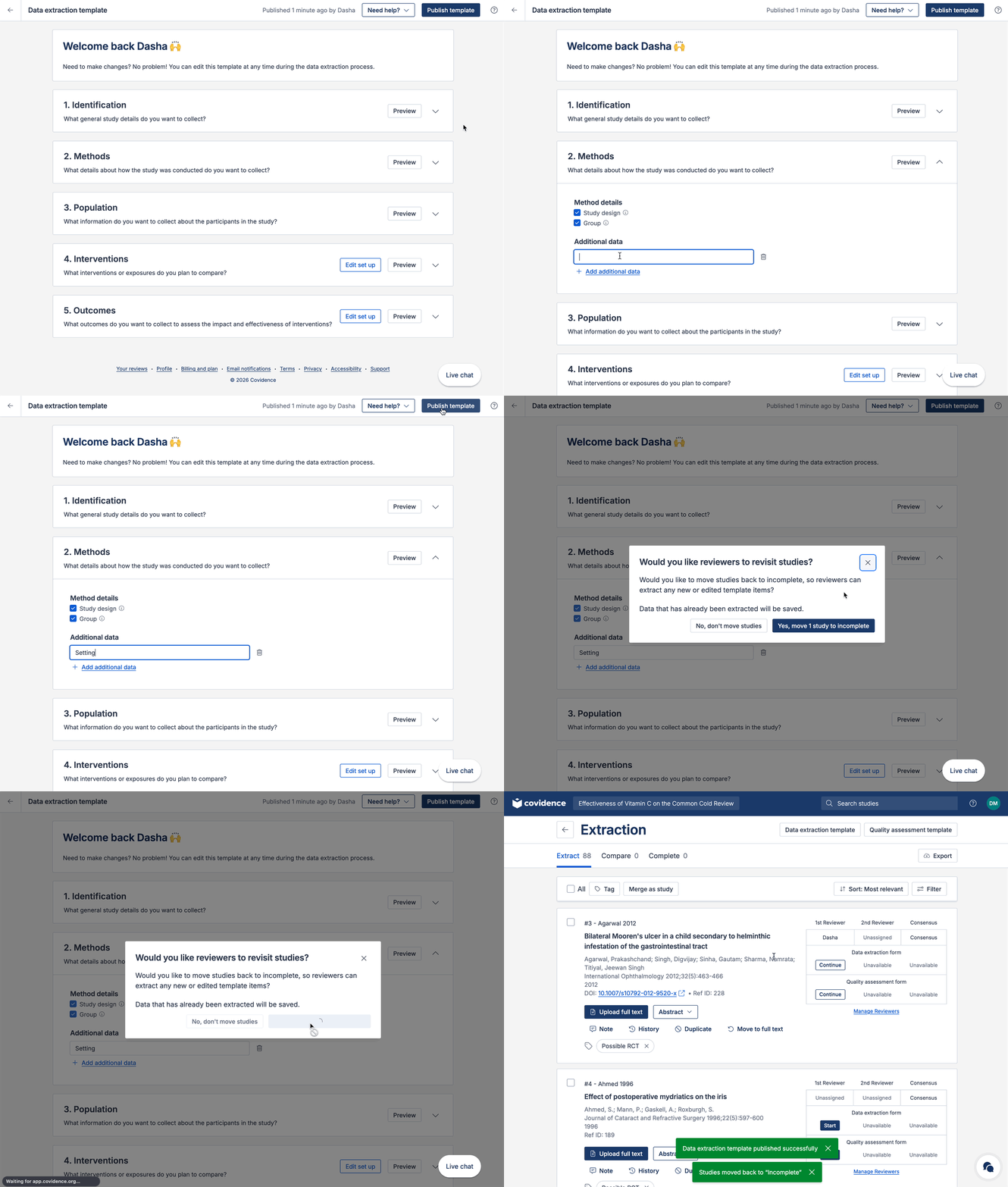
Data extraction template
The data extraction template has a PICO(T) structure. All fields, interventions, outcomes and timepoints you add to the template will show on all study extraction forms. This ensures consistent data collection across your included studies.
When it comes to extracting data from a study, you can decide which interventions, outcomes and timepoints are relevant.
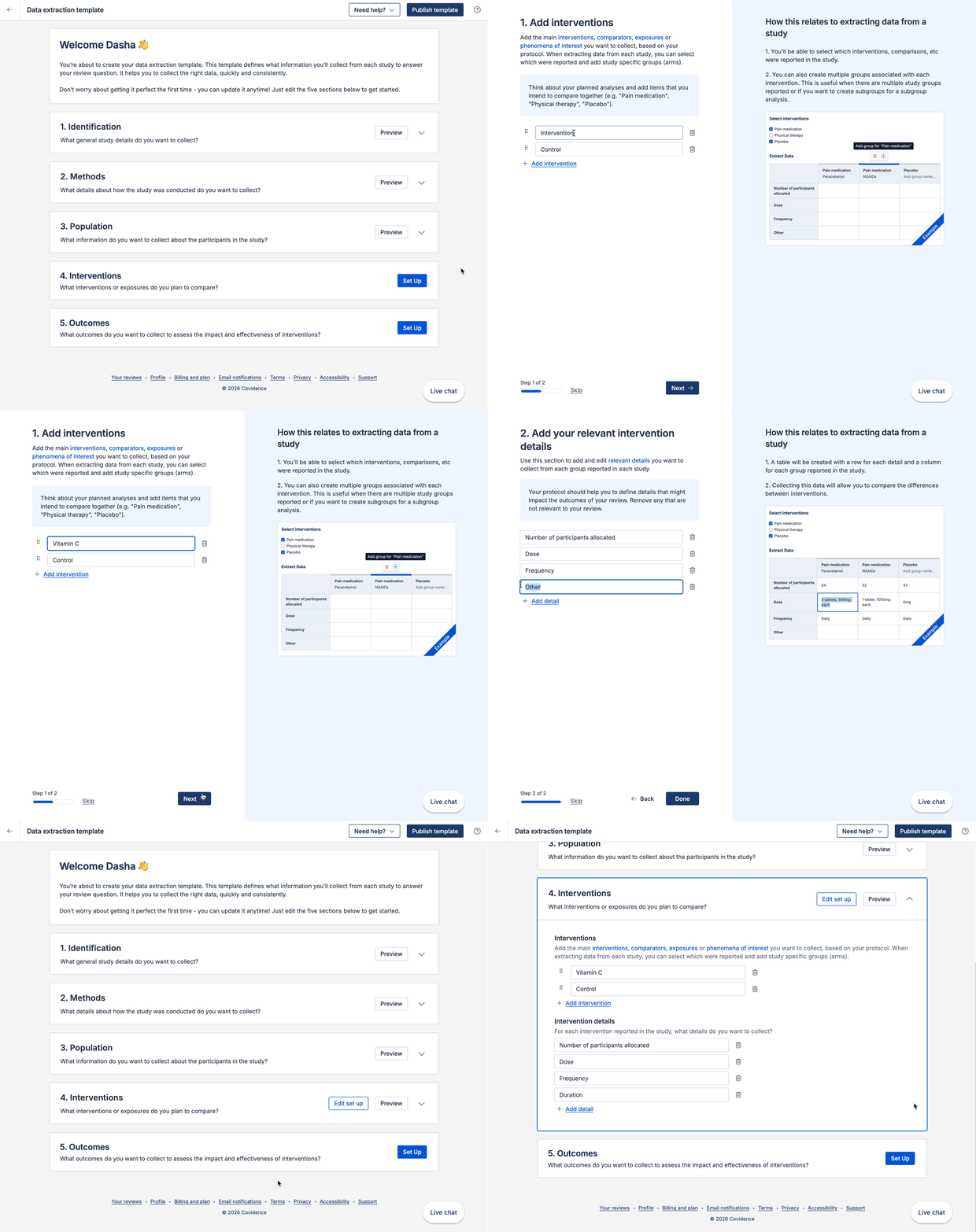
Quality assessment template
When creating a quality assessment template, you can decide whether to use the Cochrane Risk of Bias 1 tool, or create a custom tool.
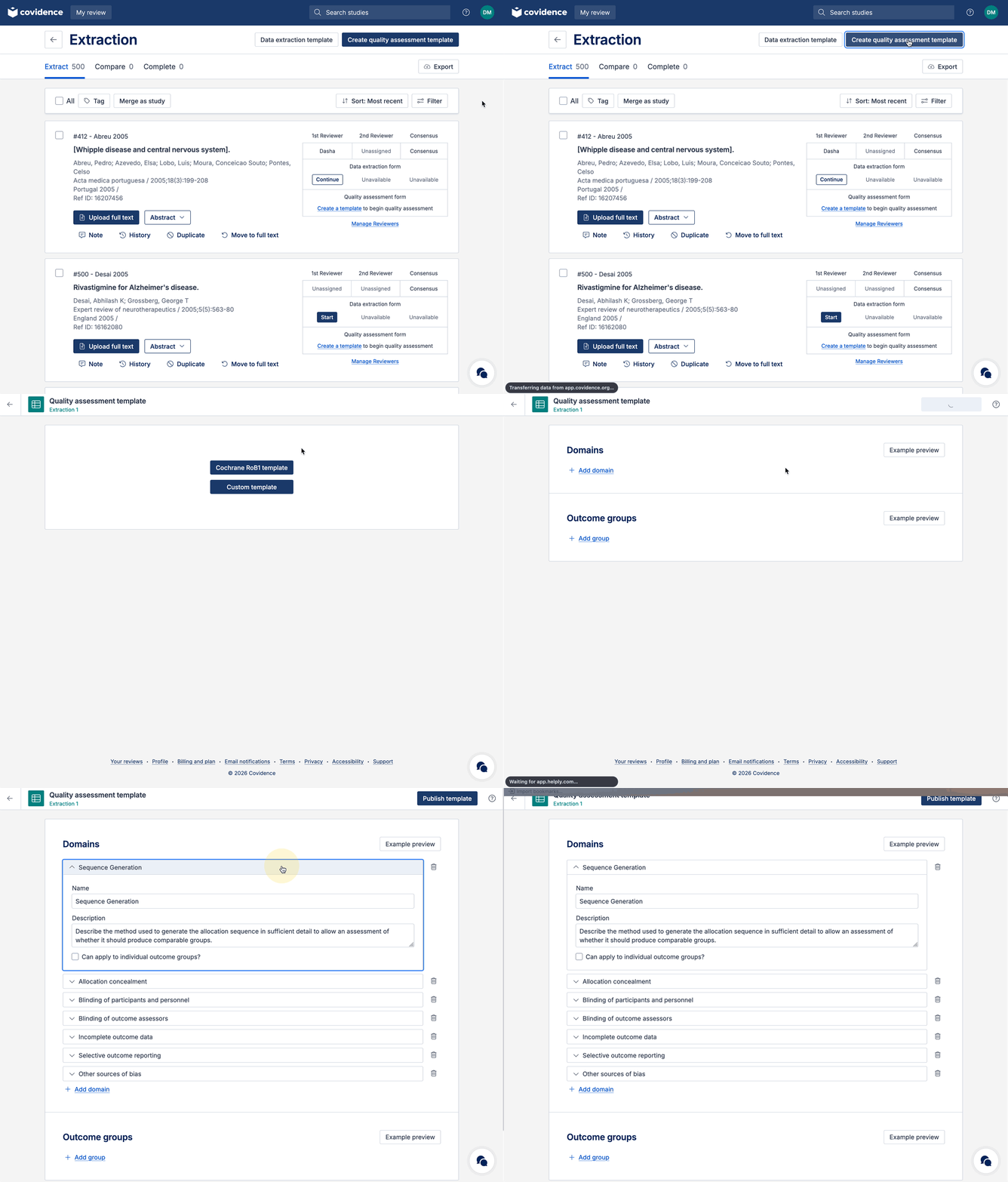
You can edit or add any domains to the quality assessment template to suit your review needs.
Completing data extraction for a study
The PDF and study extraction form are shown side by side. The PDF viewer allows you to zoom in/out, rotate and search for text within the document.
You can easily customise the size of the PDF and extraction form panels for streamlined extraction to suit your preferences.
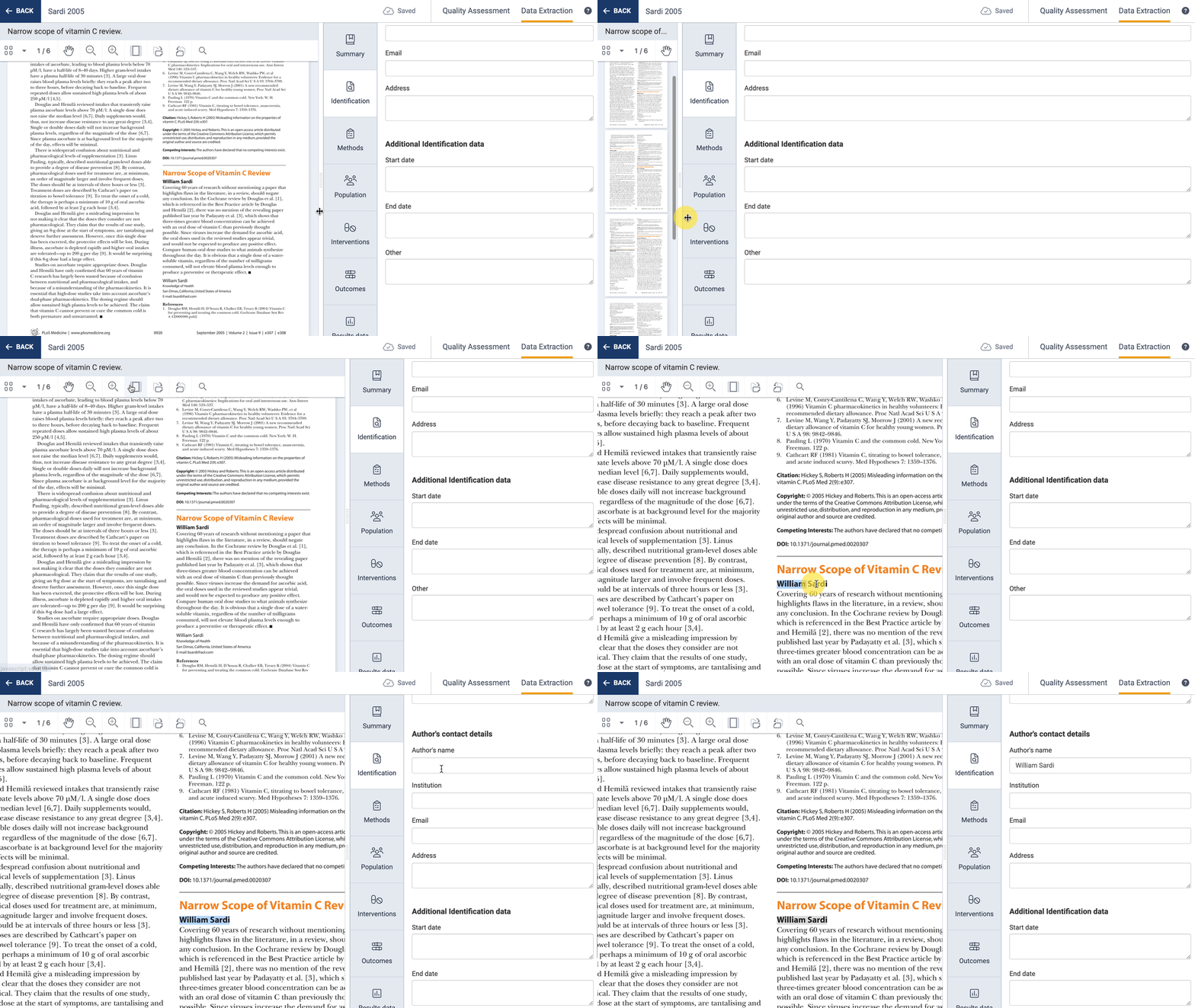
All data you extract is auto-saved, with a clear indicator in the header. No need to worry about constantly saving anymore!
Covidence provides automatic extraction suggestions in Extraction 1 (DE1) where we can source reliable suggestions. These suggestions are enabled by default for all users. Extractors can easily accept or reject these suggestions, saving valuable time and effort, while keeping extractors in full-control (through the tick and cross actions). If no suggestion can be found, the field will remain as a normal input (no suggestion).
Supporting quotes are also provided alongside the suggestion, showing the relevant text from the paper to help you verify the suggested value.
When defining your template, it’s important to think about which interventions (or exposures or concepts of interest), comparators, outcomes and timepoints you intend to extract from studies. We know that each study will report and include these slightly differently. So, to allow you to accurately capture this data when extracting:
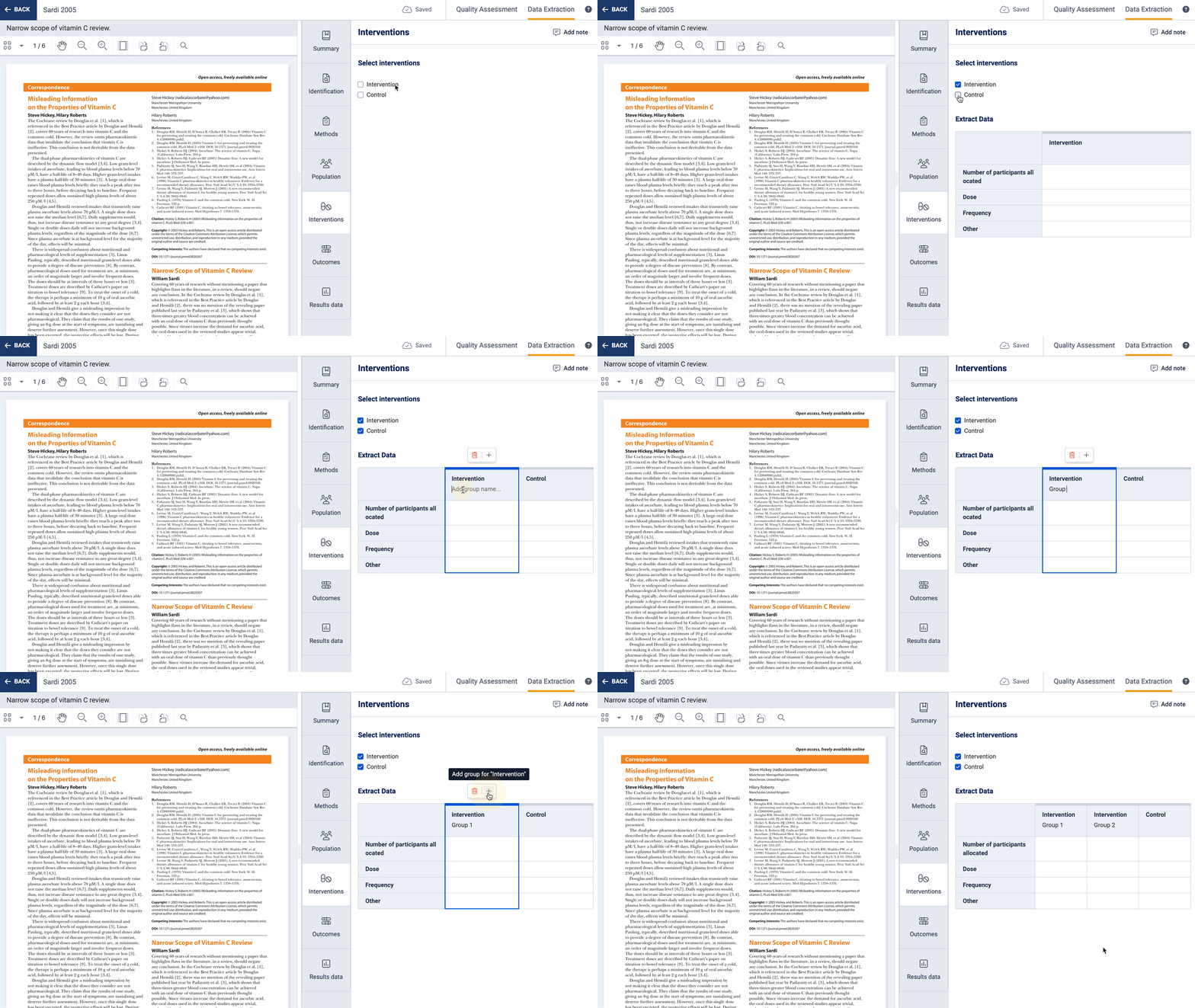
You can select which interventions (or exposures or concepts of interest) are included in a study, and optionally add multiple groups related to that intervention:
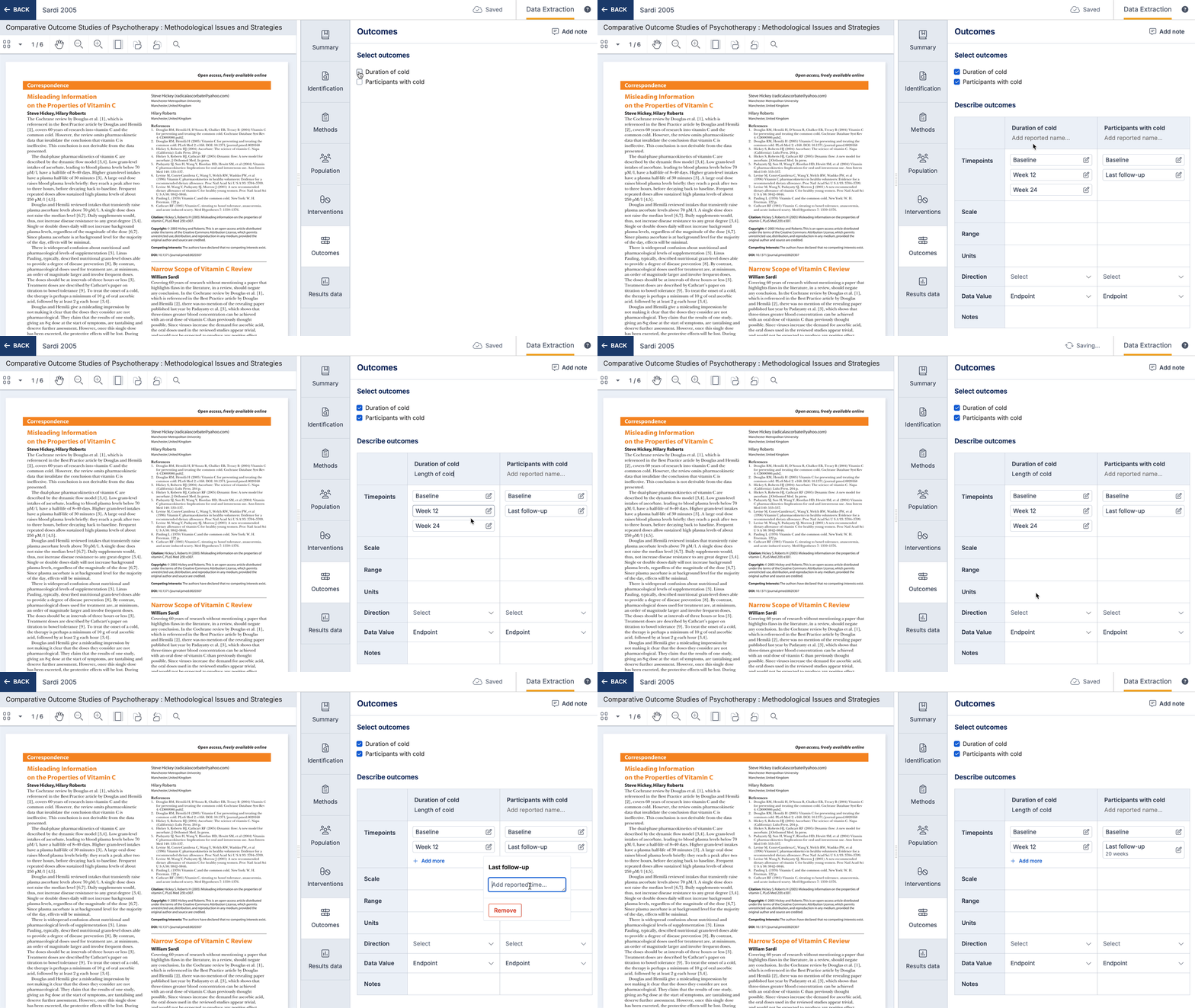
You can also select which outcomes and timepoints are included in a study and you can collect additional information about how each outcome was defined and measured.
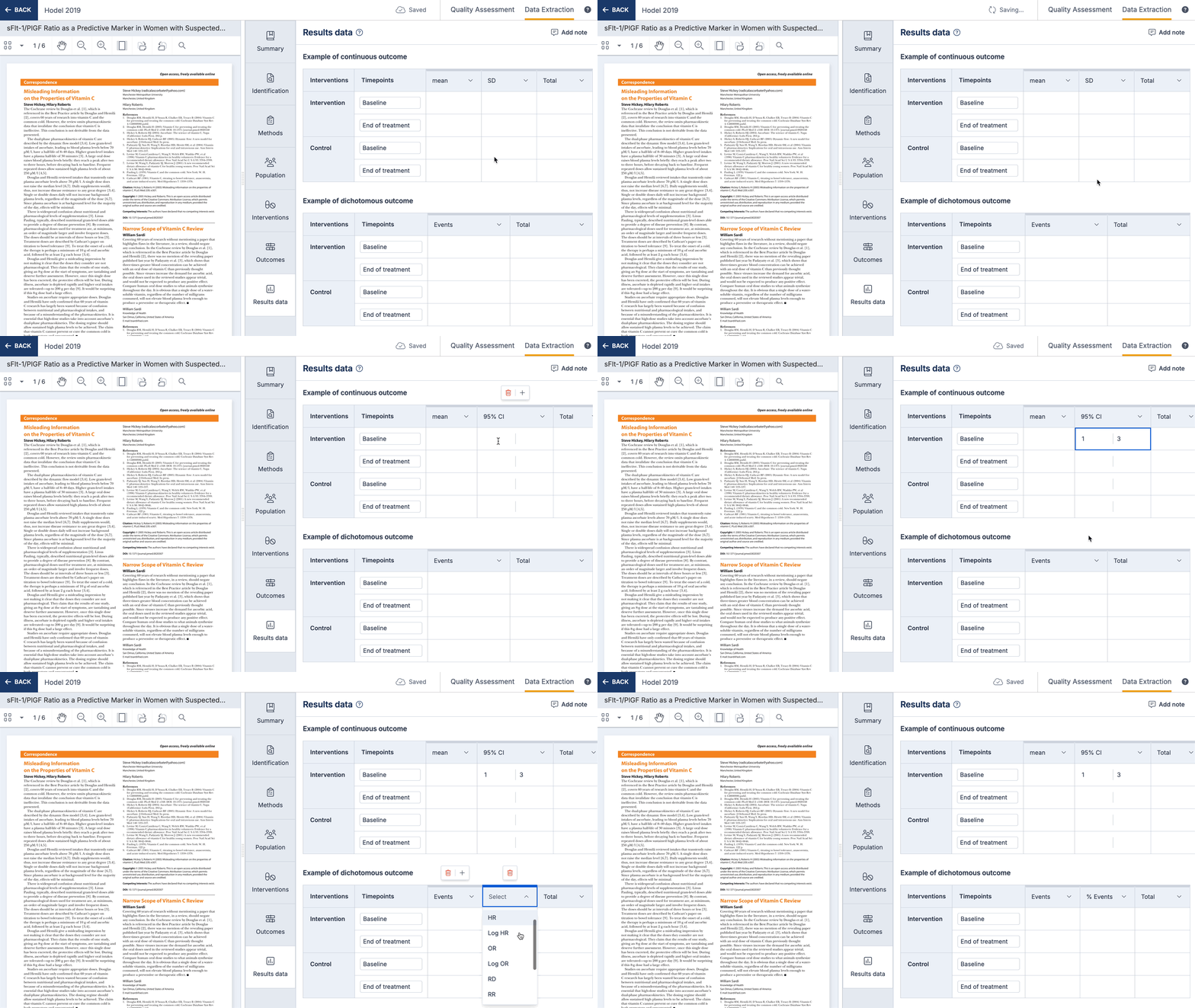
When an outcome is selected, result tables will automatically be added on the results data section, where numerical data or qualitative result data can be collected.
You can change the columns shown on result tables, and select data types from a list. This list can include custom data types, which can be anything you like to allow you to capture qualitative results. Changing the result data tables will only change the table for that study.
Completing quality assessment for a study
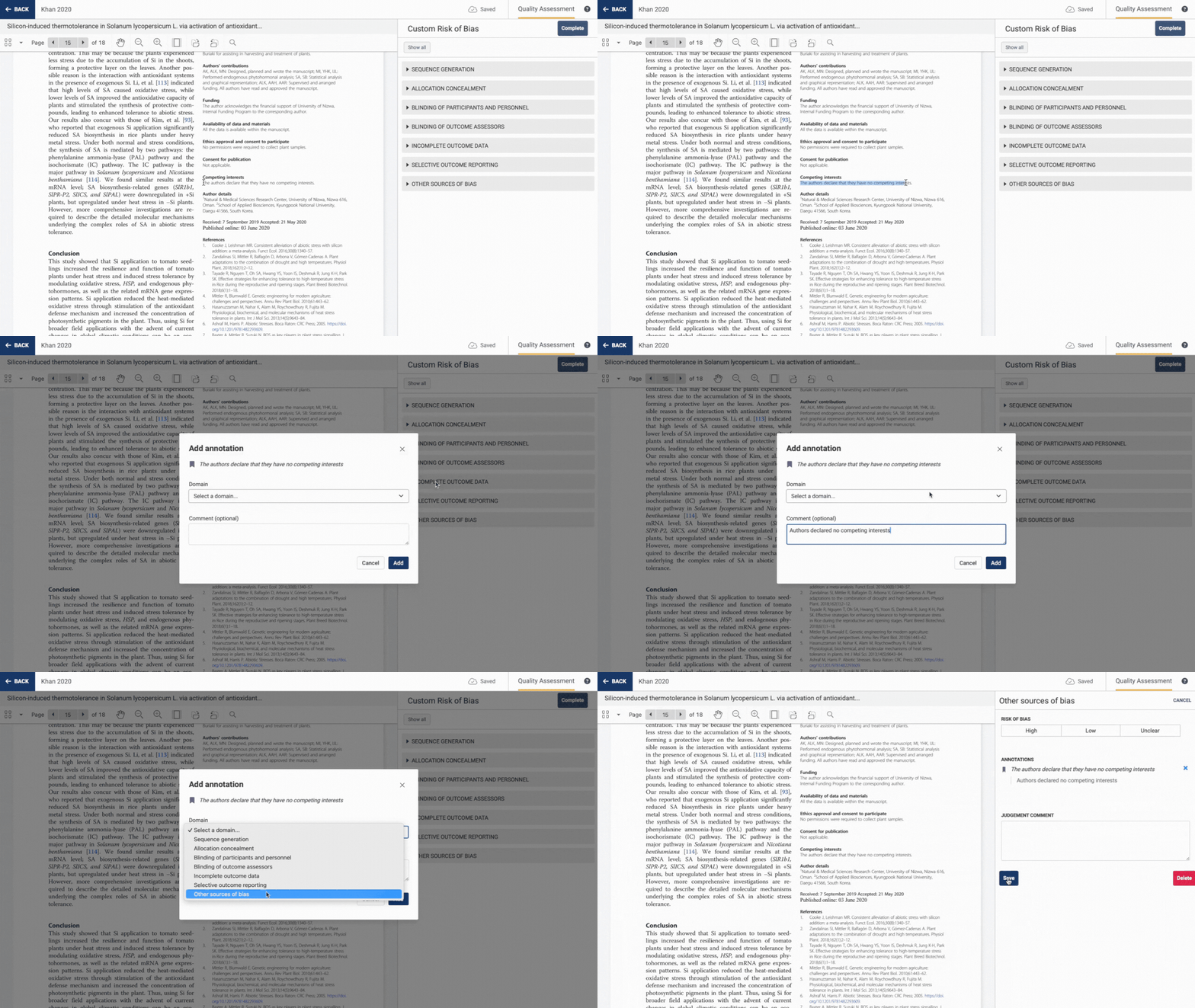
When completing quality assessment, all of the domains added to the template will show up on all studies.
For each domain, you can select a judgment (high, low or unsure), add a comment and easily add an annotation from the PDF to support your decision.
Adding notes
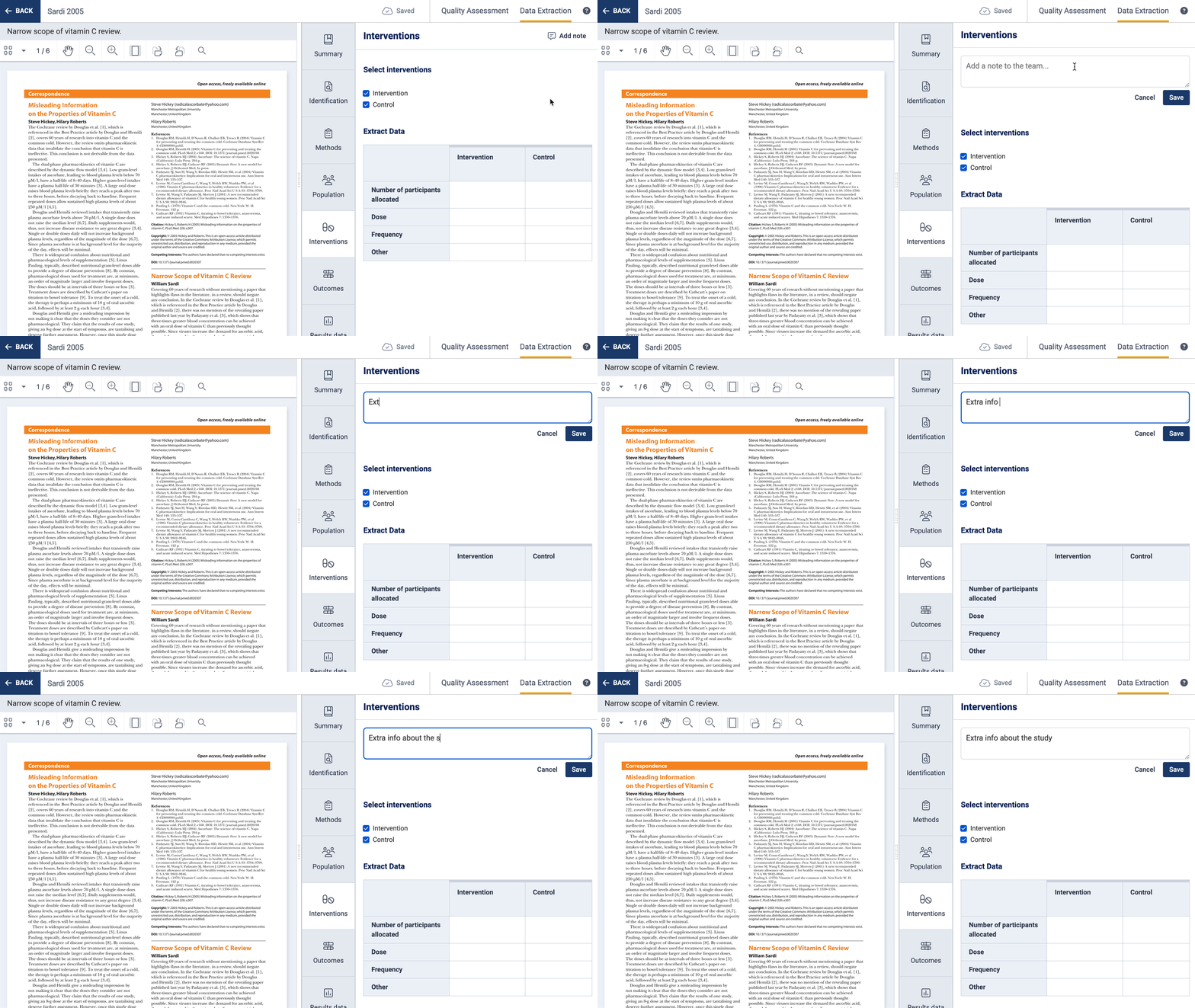
If you want to capture information but it doesn’t quite fit into the study extraction form, then you can use the note function to add a note. These can be viewed in the study list and also in exported CSV files.
Export
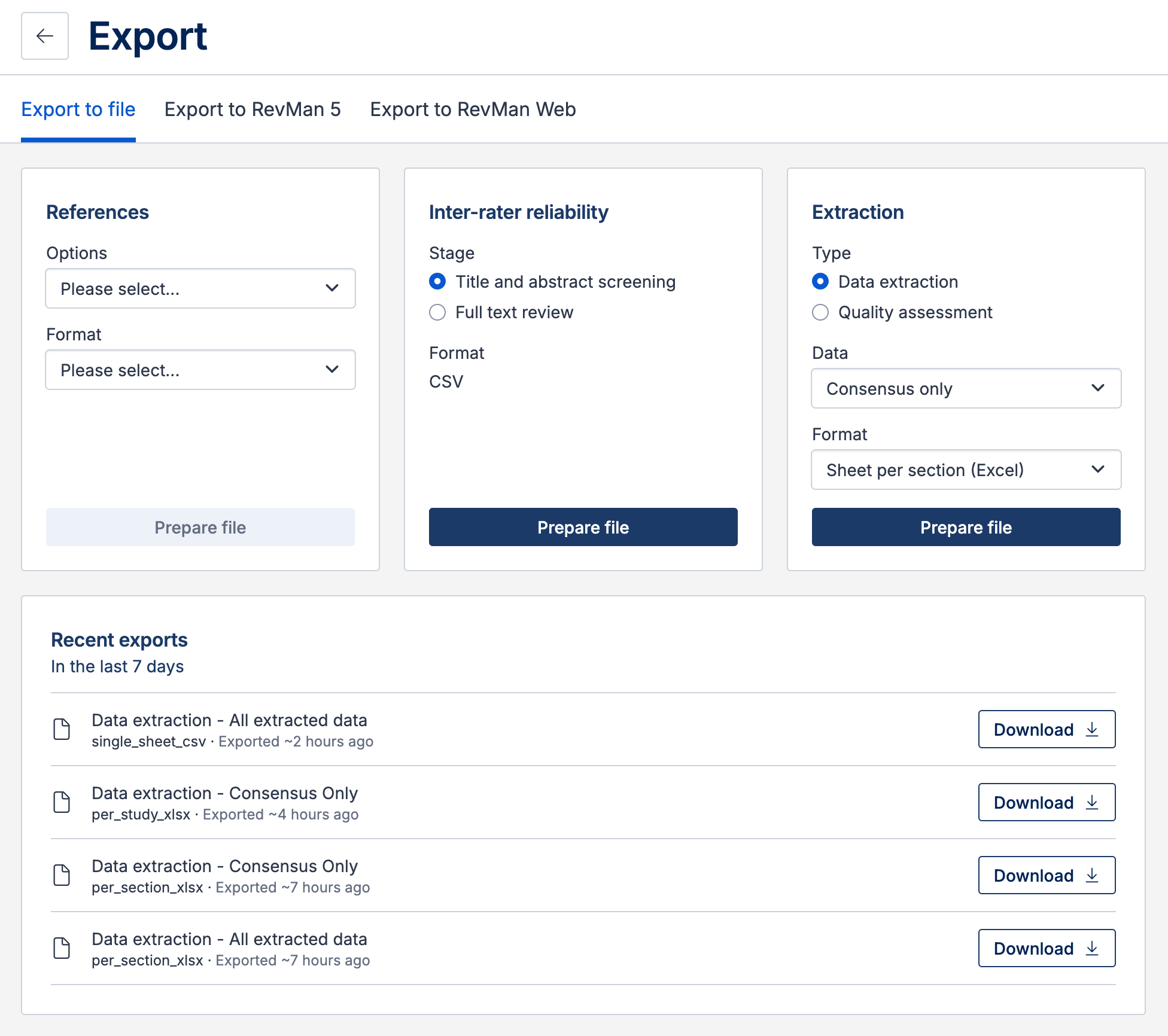
You can export data from Extraction 1 in the following formats:
RevMan export - CSV files that can be directly uploaded into RevMan for analysis. Even if you’re not using RevMan, these exports are useful because they split your data into multiple files, making it easier to compare data across studies.
Single sheet (CSV) - All extracted data in one file, with a row for every intervention group across all studies. This export is useful for comparing data across studies and can be imported into statistical software (e.g., R, STATA).
Sheet per study (Excel) - Each study has its own sheet. This layout mirrors the study extraction form in Covidence, making it more human-readable and easy to share with others. It is less suitable for direct import into statistical software.
Sheet per section (Excel) - Extracted data is organized across multiple sheets by section, making it easier to read, interpret, and analyse. This format is suitable for reporting or importing into statistical software.
Summary: When to use Extraction 1
Extraction 1 is best when:
You plan on conducting meta-analysis or quantitative synthesis
You need structured export to RevMan Web, Excel, or CSV
You are conducting intervention, therapy, or treatment effectiveness reviews
Your studies have variable numbers of groups that need to be added dynamically
You are extracting data from case series with multiple cases per study
You need result tables that link outcomes to intervention groups for meta-analysis