

What are eligibility criteria?
Eligibility criteria define which studies should be included in or excluded from your review. They provide a shared reference point for your review team, helping reviewers make screening decisions using the same standards.
You can add eligibility criteria during Review Setup and update them at any time throughout your review.
Why define eligibility criteria before screening?
Defining eligibility criteria before screening helps your team:
Make screening decisions more consistently
Reduce disagreements between reviewers
Stay focused on the review scope
Improve the transparency and reproducibility of your review
Your eligibility criteria are available during screening, making it easy for reviewers to refer back to the agreed requirements when assessing studies.
Adding eligibility criteria
You can add eligibility criteria at any time using Review Setup.
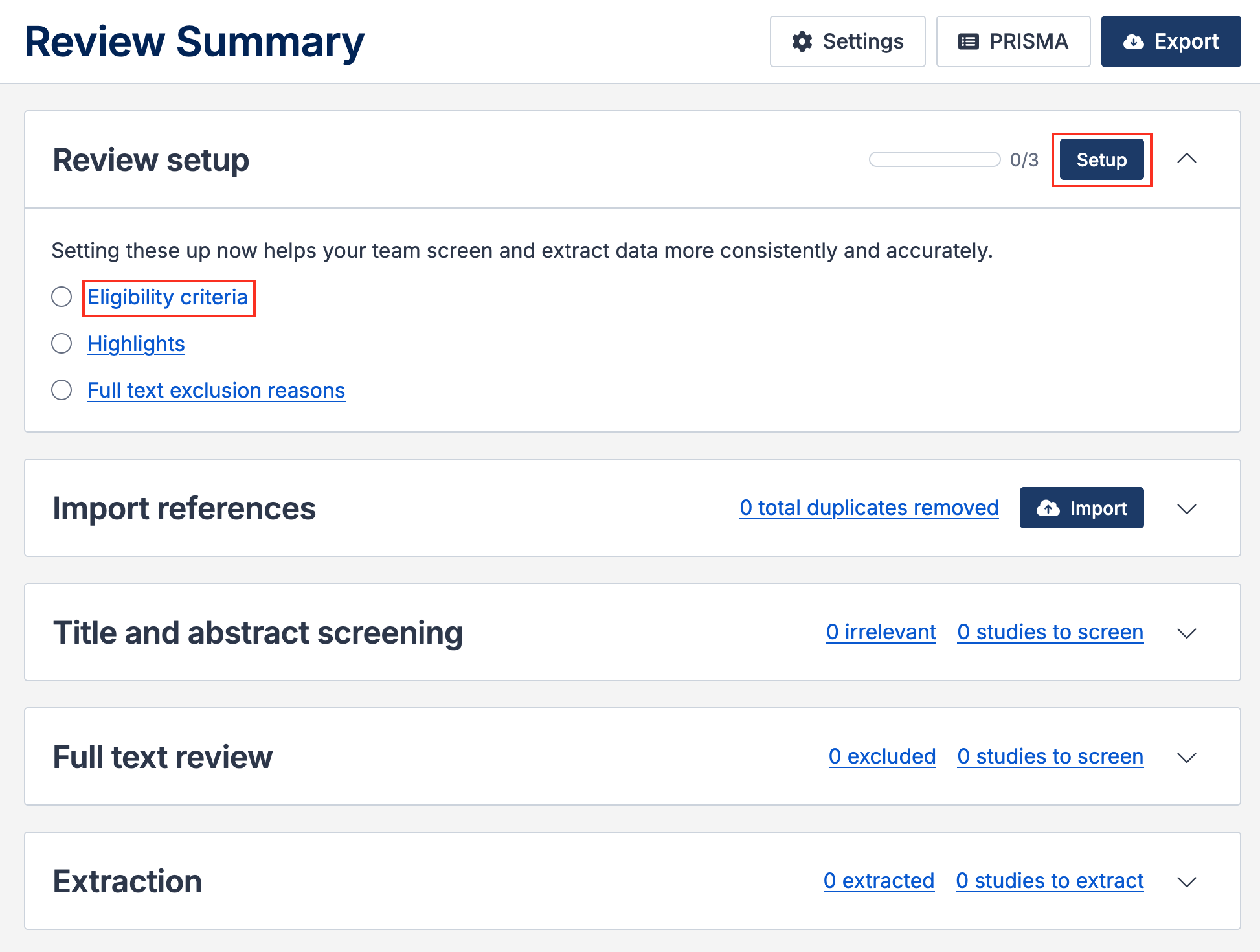
Navigate to your review
On the Review Summary page, locate the Review Setup section
Click Setup or select Eligibility criteria
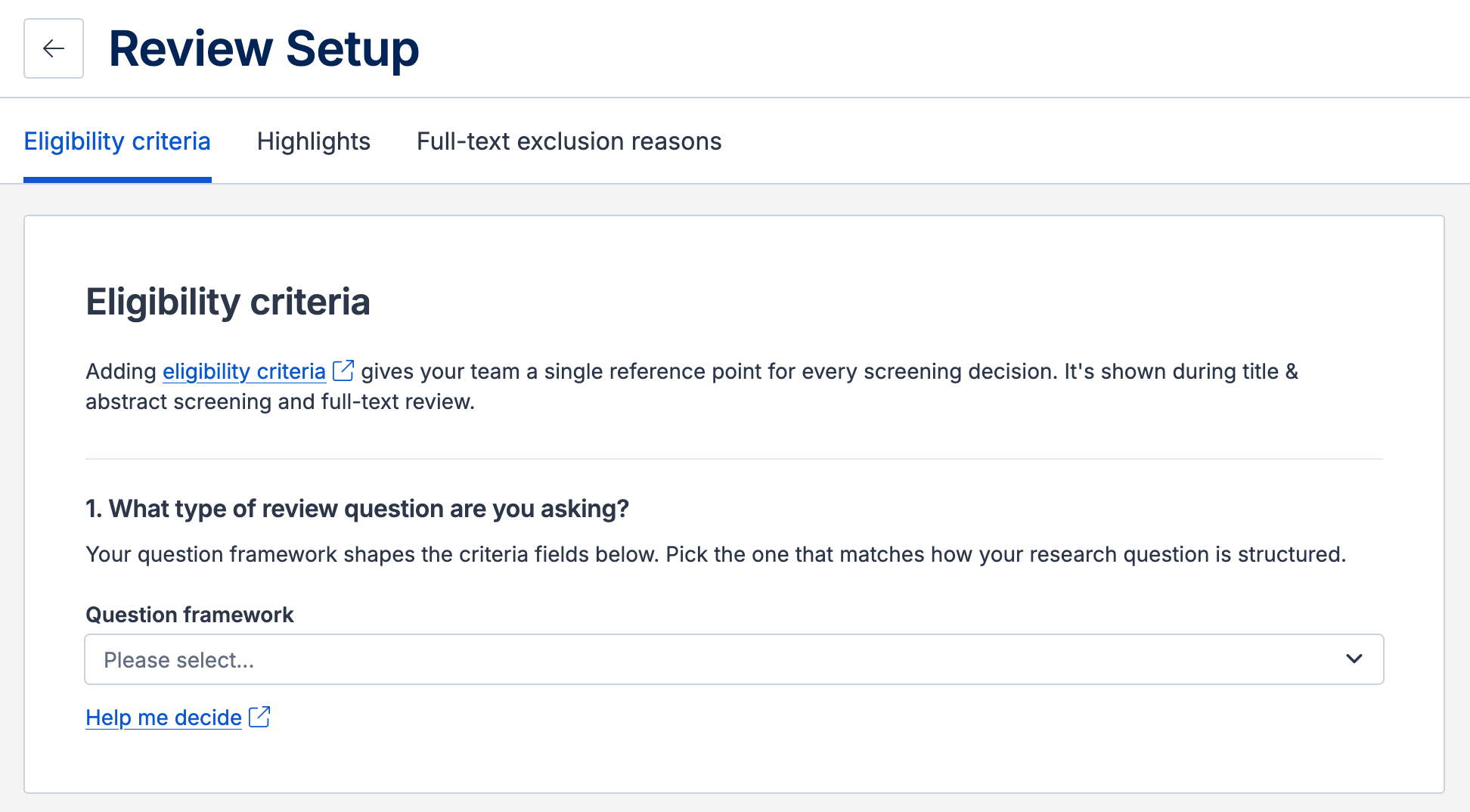
Select a question framework. The framework determines how your eligibility criteria are organized and helps define the scope of your review.
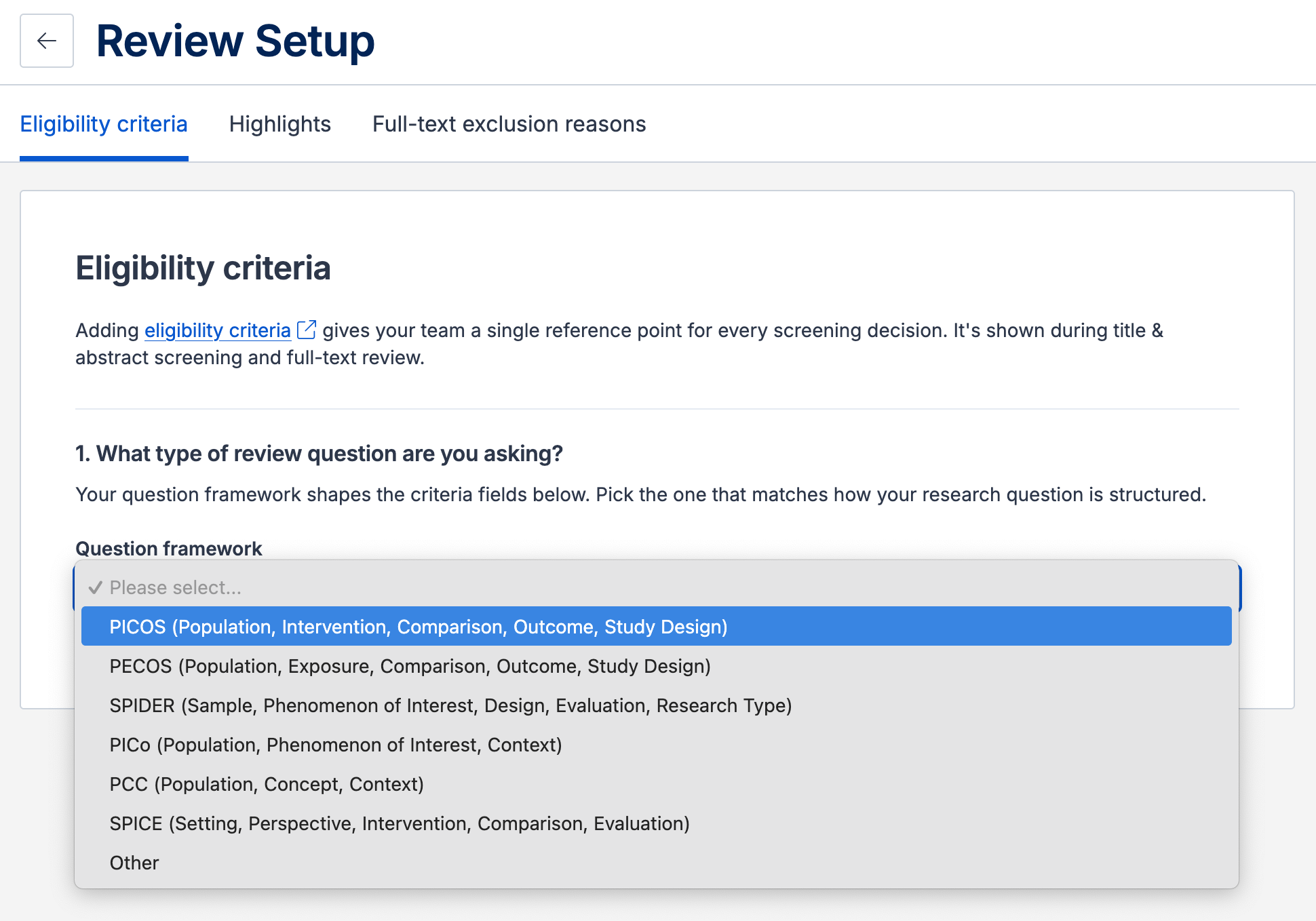
Covidence supports PICOS, PECOS, PCC, PICo, SPICE and SPIDER. For guidance on selecting the most appropriate framework for your review, see Choosing a question framework.
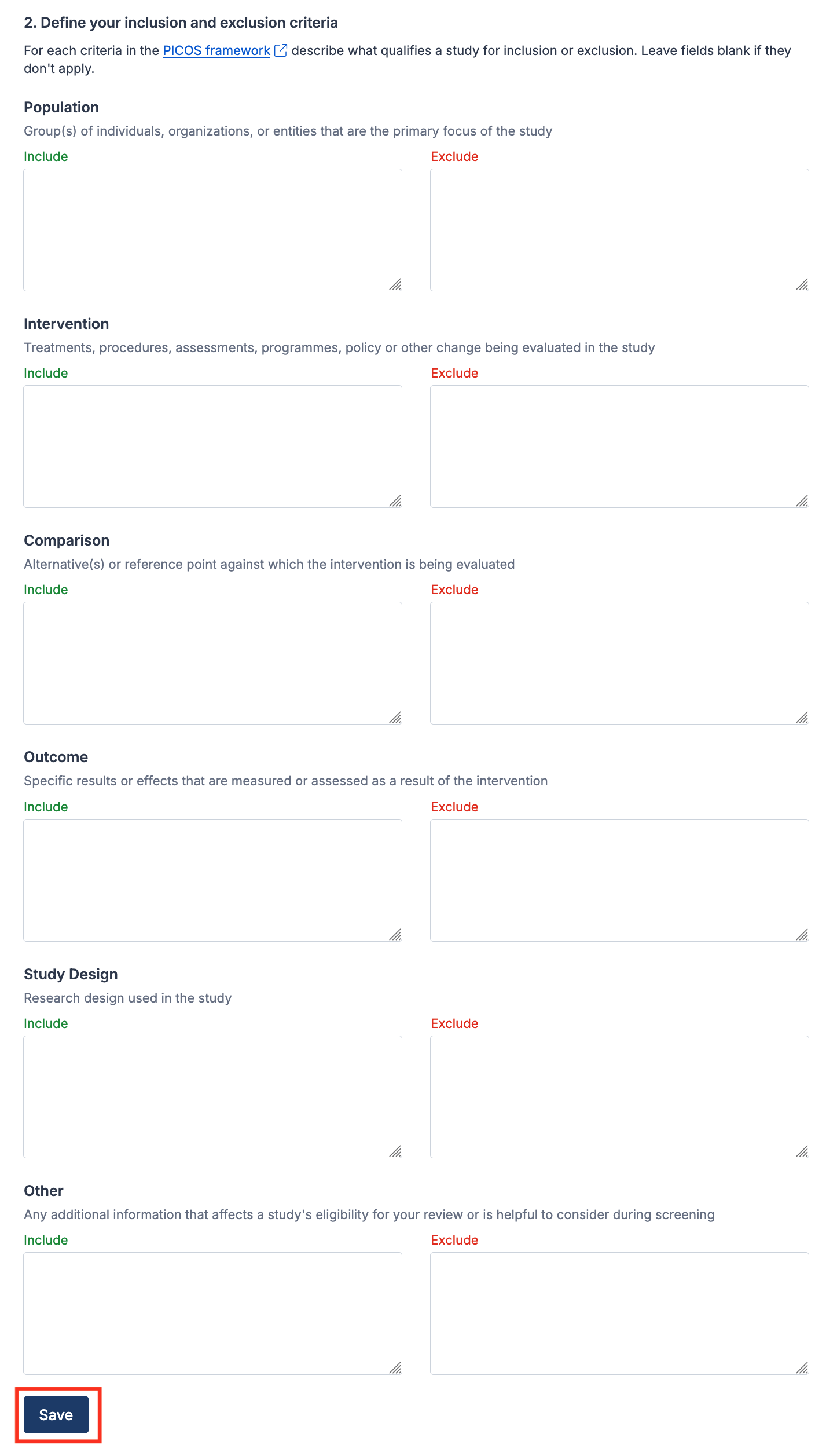
Enter your inclusion and exclusion criteria.
Click Save at the bottom of the page.
View eligibility criteria during screening
Your eligibility criteria are available during title and abstract screening and full-text review.
Click Eligibility criteria in the toolbar to open the sidebar and view your criteria alongside your study list. Click X or Eligibility criteria to close the sidebar.
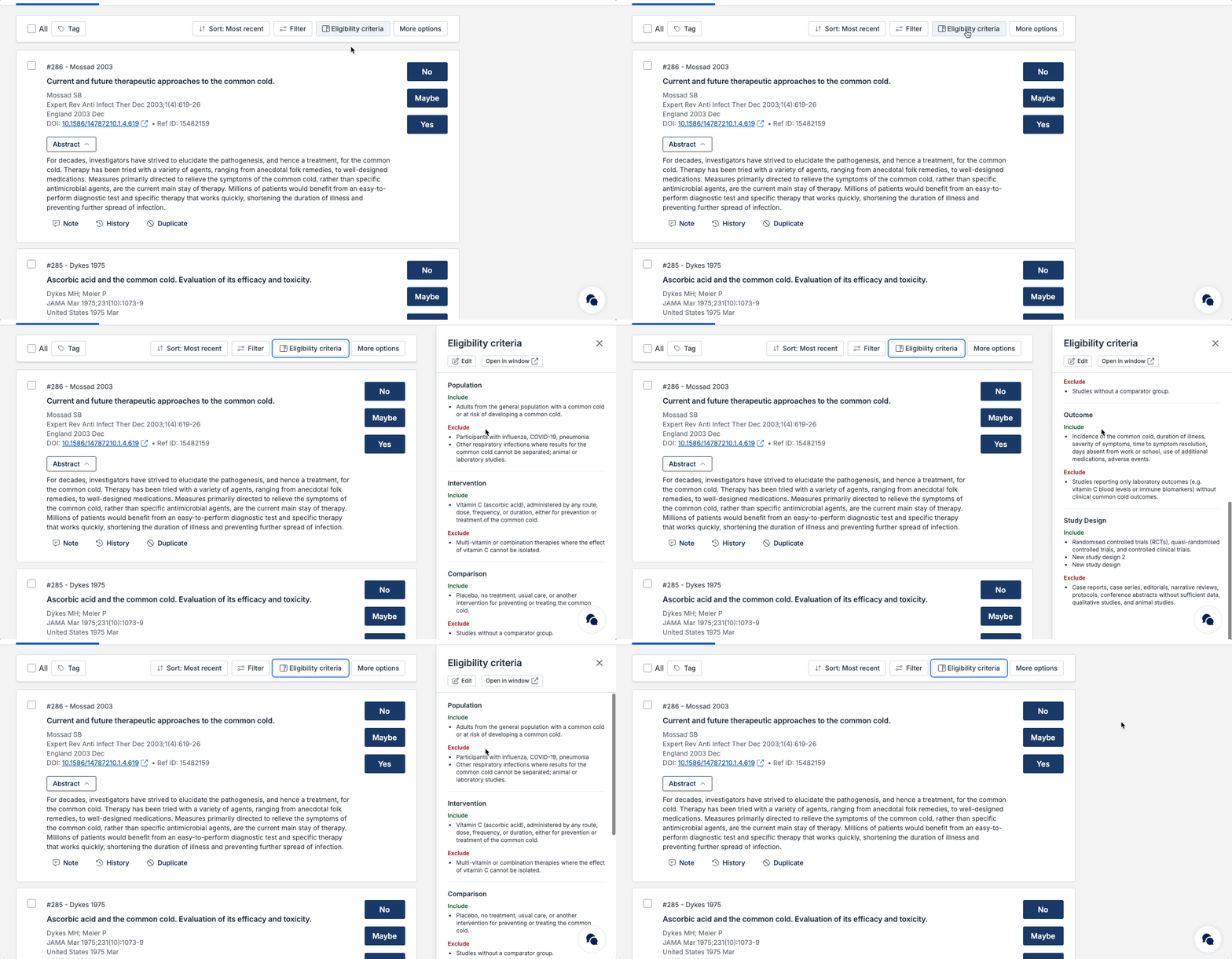
Using the criteria as a shared reference helps ensure decisions are based on the review question rather than individual interpretation.
Updating eligibility criteria
Reviews can evolve as new information emerges. If your review scope or requirements change, you can update your eligibility criteria at any time by clicking Edit in the sidebar, or by going to Review Setup → Eligibility criteria.
Changes are visible to all review team members.
Best practices
As a team, discuss and agree on the eligibility criteria for your review
Add your eligibility criteria to Covidence before starting screening
Refer to your eligibility criteria regularly during screening
Continuously update whenever review decisions or scope changes
Ensure all reviewers are aware of any changes
Maintaining clear and current eligibility criteria helps your team stay aligned and supports a more transparent, reproducible review process.