

New to Covidence? Want to familiarise yourself with the workflow and process better? We have a solution for you!
Try out our ‘Demo Review’ and have hands-on experience with the features and sections of the platform without having to spend time creating your own to test.
Once signed into your user account, on the ‘Your reviews’ page, scroll to the bottom and click on the provided button. The demo review is instantly generated with pre-populated test data that resets regularly, allowing you to delve into a sandbox environment. Happy exploring!
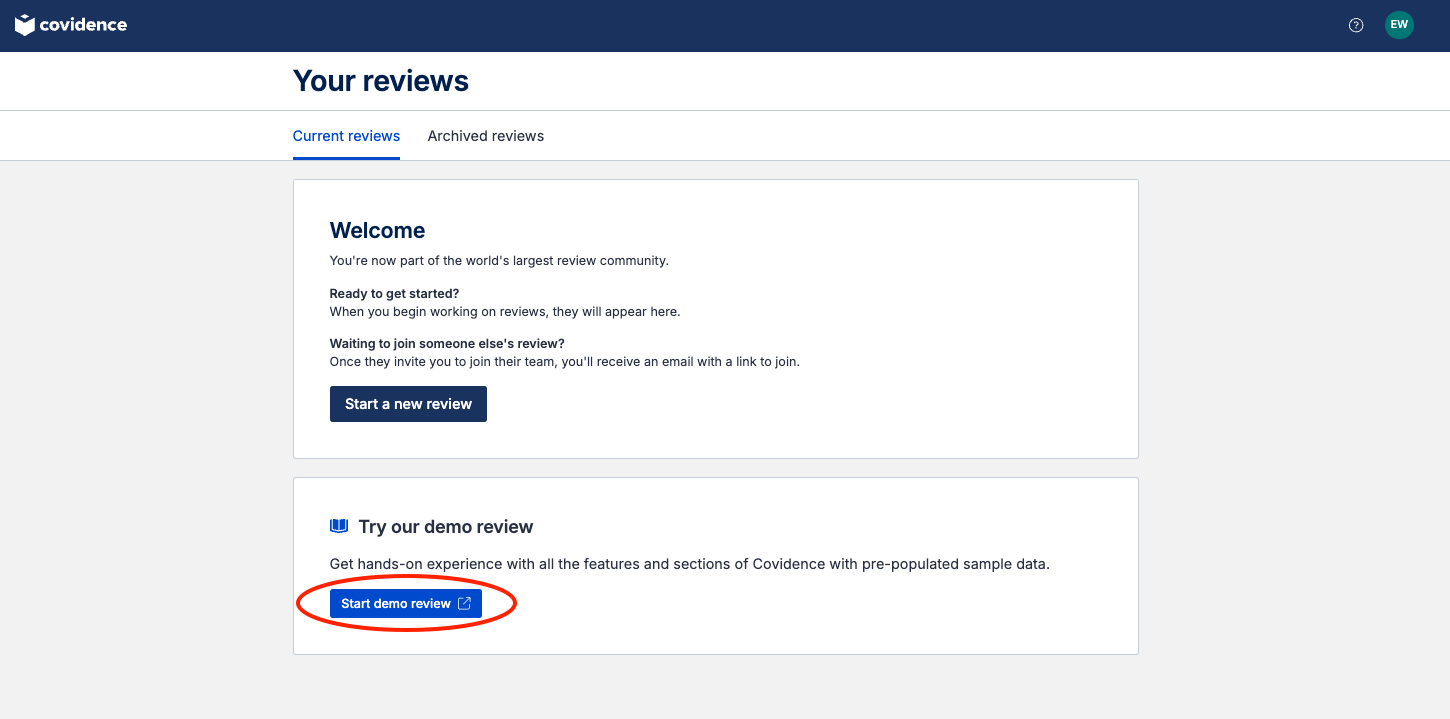
You can try out –
Screen title & abstract - Breeze through screening with keyword highlighting & a lightning-quick interface. Covidence keeps full records of who voted and supports single or dual screeners.
Bulk PDF import - Transfer PDFs stored in your reference manager to Covidence in a few clicks.
Screen full text - Decide quickly on studies in full text. Capture reasons for exclusion and any notes so you can resolve any disagreements quickly, with a click of a button.
Create forms - Be in control and stay focused on your PICO question. Customisable extraction forms mean you only spend time extracting what you need.
Customise risk of bias - Automatically populate your risk of bias tables by highlighting and commenting on the text directly in your PDF.
Conduct data extraction - Extract data efficiently with a side-by-side view of your customised form and PDF. Then, when you are done, easily compare your form with other reviewers.
Export - Covidence exports to all the common formats so you can continue your review in your preferred software.