


Support
The UC Irvine Libraries can assist with planning, conducting, and reporting systematic reviews and other types of evidence synthesis reviews. To learn more about UC Irvine Libraries services for conducting systematic reviews please visit UC Irvine Libraries Systematic Reviews & Evidence Synthesis Methods research guide or email the Systematic Review Team to request a consultation with a librarian.
How to join UC Irvine Libraries’ Covidence institutional license
You can create your personal sign-in information with Covidence before or after joining the institutional subscription. To request access to the institutional account in Covidence, you must use your current UC Irvine email address (@uci.edu or @hs.uci.edu).
1. Go to https://www.covidence.org/organizations/QmoD7/signup
2. Enter your information (using your UC Irvine email address) and click “Request Invitation” link
3. Accept the invitation in your email
4. Log in to your existing Covidence account or sign up for a new account
5. If you have already joined the UC Irvine Libraries’ Covidence account, then you can log into Covidence and log in with your email and password and proceed to use Covidence
Creating a review using the UC Irvine Libraries’ unlimited license
After clicking the link “Create new review” you will have the option to use your personal account license or select the UC Irvine Libraries account.
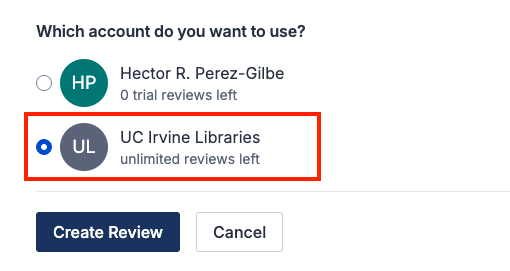
Reviews created under the institutional license will be visible to the administrators of the UC Irvine Libraries' Covidence account. Your personal account review(s) will only be seen by you.
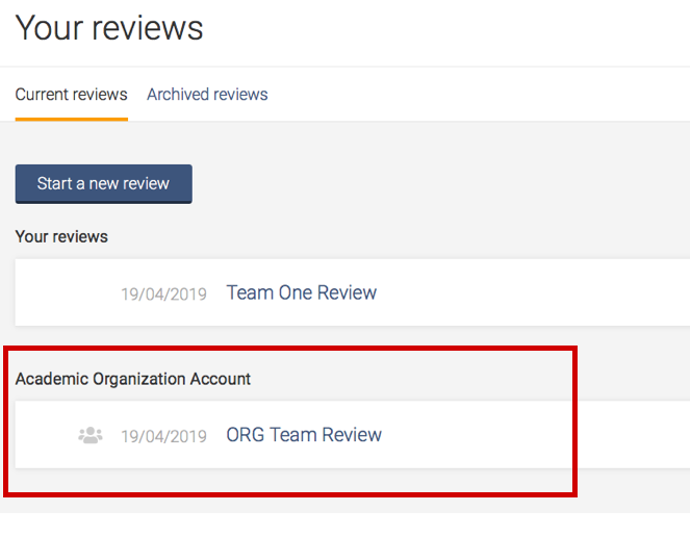
Once you have created a review or accepted an invitation to another ORGANIZATION account review, the title will appear in a separate section on your account homepage:
Working with review team members from other institutions?
Team members from outside institutions may be added to your UC Irvine Libraries review. Refer to this FAQ on Inviting Users for more details.
Support from Covidence
Covidence offers a range of available resources and support to help you along the way with your systematic review process.
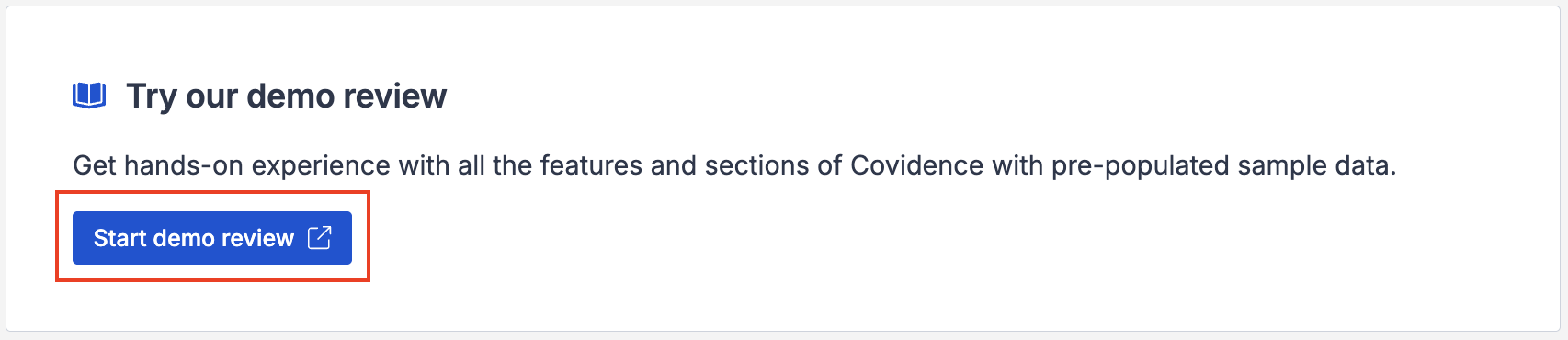
To get familiar with how a Covidence workflow works, you can try our pre-set Demo review. This will allow you to gain hands-on experience and better understand the process. You will find it at the bottom of your dashboard once you have signed in. Give it a go and feel free to explore!
Getting started with Covidence - video tutorials that guide you through the initial area to get you started.
Covidence Knowledge Base - home to all of our comprehensive articles, instructions and advice to FAQs.
Covidence Academy - Learn and understand the essentials of systematic reviews and gain insight with expert-led training and content to guide you through every step of the review process.
Covidence eBook Collection - Download our step-by-step practical guides for Systematic Review Success.
Monthly Open Training Webinars - Join our Community Team for free webinars (registration required) or watch our recent recordings without delay.
Online Support Team- contact our team directly for support on your review by emailing support@covidence.org
When logged into your account, you can also easily contact the Support Team via the chat icon in the lower right corner, and the comprehensive articles from our Knowledge Base from the '?' icon on the upper right corner of the window in-app.
Maintaining Access to Your Work When Leaving the University
You are required to add a secondary email address before leaving, as this will ensure uninterrupted access to your Covidence account.
If you need to log back into your Covidence account but cannot because you don’t have access to your university email address anymore, please get in touch by emailing support@covidence.org.