


Welcome!
The Departments of Population Health Sciences (PHS) and Women & Children's Health (WCH) are excited to offer its members access its departmental license to Covidence.
Please note: You should only follow the instructions on this page if you are a member of PHS or WCH. Everyone else should contact their local support first, then central support if local support are unable to help.
More about Covidence
The interface is intuitive and suitable for students and experienced reviewers. Covidence can save time on repetitive review tasks, enabling faster review production and more time for analysis and interpretation.
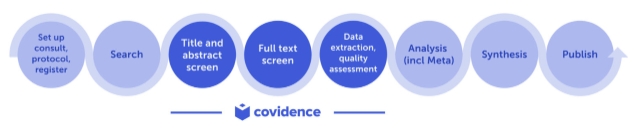
Discover more about Covidence on each link:
Import references - Covidence works seamlessly with your favourite reference managers like EndNote, Zotero, RefWorks, Mendeley or any tool that support RIS, CSV or PubMed XML formats. Covidence can automatically remove duplicates for you.
Screen title & abstract - Breeze through screening with keyword highlighting & a lightning-quick interface. Covidence keeps full records of who voted and supports single or dual screeners.
Bulk PDF import - Transfer PDFs stored in your reference manager to Covidence in a few clicks.
Screen full text - Decide quickly on studies in full text. Capture reasons for exclusion and any notes so you can resolve any disagreements quickly, with a click of a button.
Create forms - Be in control and stay focused on your PICO question. Customisable extraction forms mean you only spend time extracting what you need.
Customise risk of bias - Automatically populate your risk of bias tables by highlighting and commenting on the text directly in your PDF.
Conduct data extraction - Extract data efficiently with a side-by-side view of your customised form and PDF. Then, when you are done, easily compare your form with other reviewers.
Export - Covidence exports to all the common formats so you can continue your review in your preferred software.
Collaborate - You can invite other reviewers (including external colleagues) to work with you on the project.
Why join the departmental access to Covidence
Unlimited records for each review
Unlimited number of reviewers for each review
How to get access to the departmental licence:
1. Submit your request to join by emailing justin.lock@kcl.ac.uk (make sure to use your university email address):
2. Once approved, an email invitation will be sent to you to join (you may need to check your spam folder): click 'Accept invitation'
3. Sign in to your existing Covidence account if you already have one with your university email OR sign up for a new account (make sure to use your university email address)
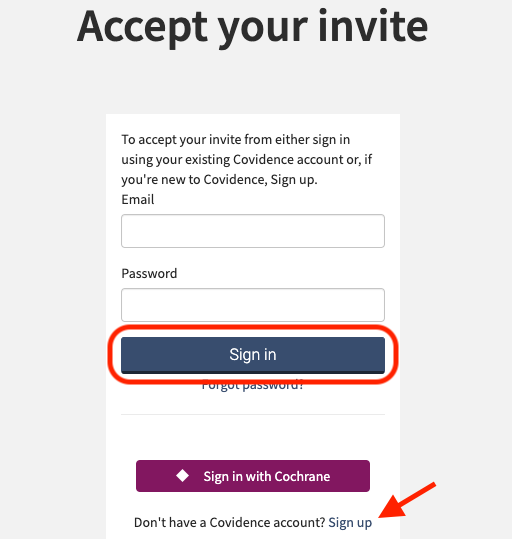
After joining the departmental licence account, you will be able to sign in from anywhere by visiting: https://www.covidence.org/sign_in
Starting a review with the licence account:
Sign in to Covidence
Select 'Start a new review'
'Which account do you want to use?', make sure to select - 'PHS and WCH, SLCPS, King's College London'
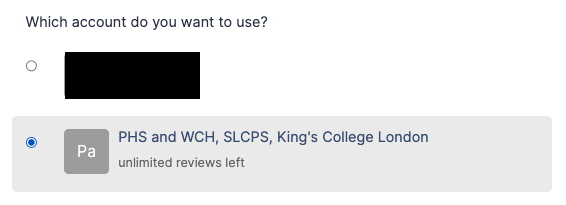
Reviews created using the departmental licence account will be visible to the administrator. Reviews created using your personal account are only visible to you.
Once you have created a review or accepted an invitation to another account review, the title will appear in a separate section on your account homepage:
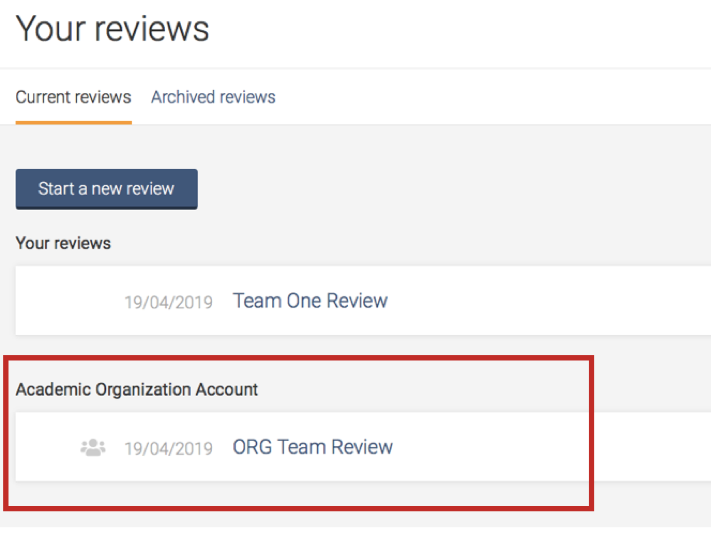
Support from Covidence
Covidence offers a range of available resources and support to help you along the way with your systematic review process.
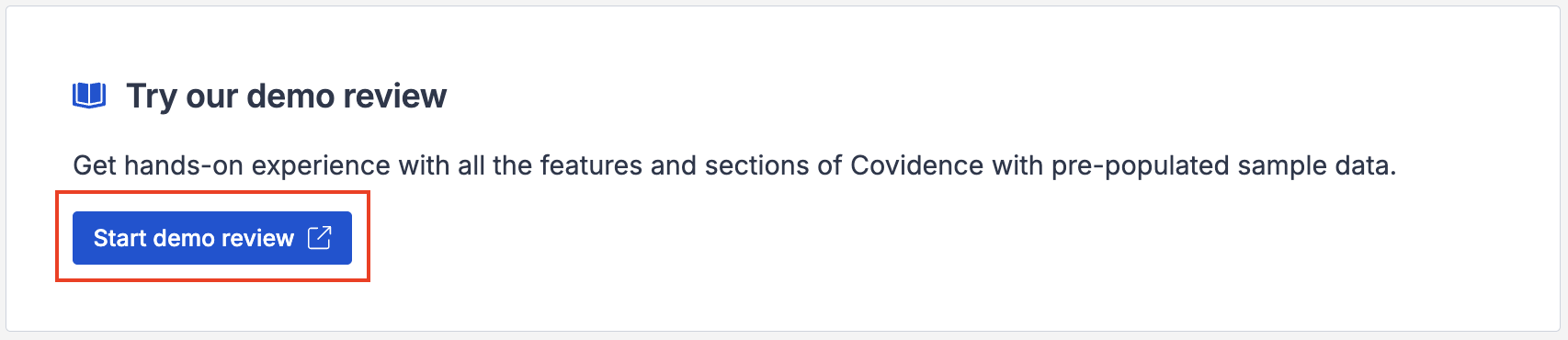
To get familiar with how a Covidence workflow works, you can try our pre-set Demo review. This will allow you to gain hands-on experience and better understand the process. You will find it at the bottom of your dashboard once you have signed in. Give it a go and feel free to explore!
Getting started with Covidence - video tutorials that guide you through the initial area to get you started.
Covidence Knowledge Base - home to all of our comprehensive articles, instructions and advice to FAQs.
Covidence Academy - Learn and understand the essentials of systematic reviews and gain insight with expert-led training and content to guide you through every step of the review process.
Covidence eBook Collection - Download our step-by-step practical guides for Systematic Review Success.
Monthly Open Training Webinars - Join our Community Team for free webinars (registration required) or watch our recent recordings without delay.
Online Support Team- contact our team directly for support on your review by emailing support@covidence.org
When logged into your account, you can also easily contact the Support Team via the chat icon in the lower right corner, and the comprehensive articles from our Knowledge Base from the '?' icon on the upper right corner of the window.
Maintaining Access to Your Work When Leaving the University
We recommend adding a secondary email address before you leave to make it easier to continue using your Covidence account without interruption.
If you need to log back into your Covidence account but cannot because you don’t have access to your university email address anymore, please get in touch by emailing support@covidence.org.